



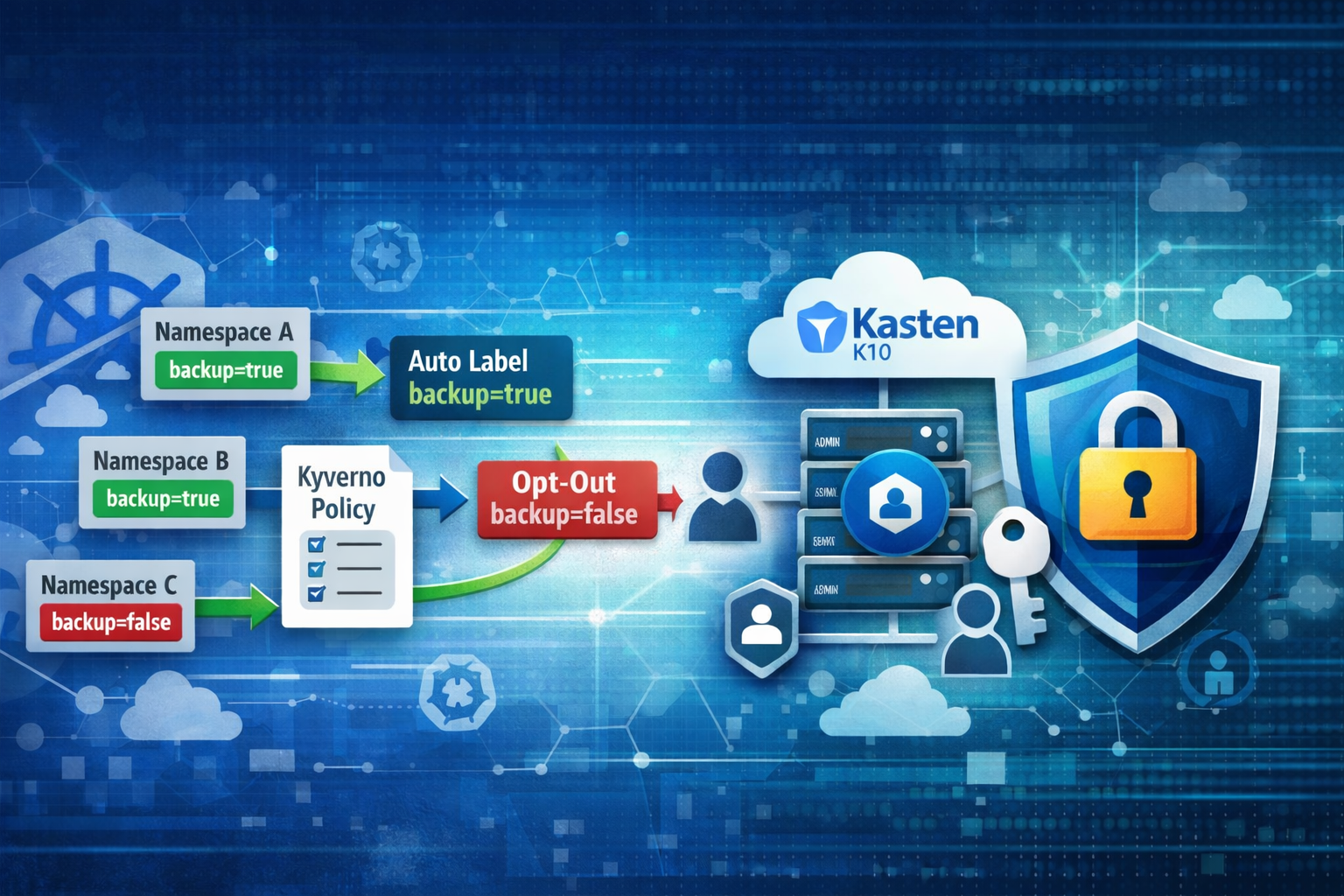
In many enterprise Kubernetes environments, backup and infrastructure teams operate separately with different levels of access. This creates a challenge: how can you give backup administrators control over backup scope without granting them full namespace administration privileges?
This blog post explores a robust solution using Kyverno policies combined with Kubernetes RBAC to implement a secure opt-out backup strategy for Kasten.
The Challenge
In a typical enterprise setup, you might face these requirements:
- Automatic backup enrollment: All new namespaces should be automatically included in backups by default
- Controlled opt-out: Backup administrators need the ability to exclude specific namespaces from backups
- Security boundaries: Backup admins should not have permissions to modify other namespace properties or delete namespaces
- Separation of duties: Kubernetes infrastructure and backup teams are separate
The Solution: Kyverno + RBAC
The solution combines three key components:
- Kyverno mutate policy - Automatically labels new namespaces with
backup=true - RBAC rules - Grants backup-admin group limited patch permissions on namespaces
- Kyverno validate policy - Restricts what can be patched to only the backup label
Implementation
Step 1: Install Kyverno
First, install Kyverno in your cluster:
helm repo add kyverno https://kyverno.github.io/kyverno/
helm repo update
helm install kyverno kyverno/kyverno -n kyverno --create-namespace
Step 2: Automatic Labeling
Create a Kyverno mutate policy that automatically adds the backup=true label to every new namespace.
Create a file named add-backup-label-on-namespace-creation.yaml:
apiVersion: kyverno.io/v1
kind: ClusterPolicy
metadata:
  name: add-backup-label-on-namespace-creation
spec:
  background: false
  rules:
    - name: add-backup-label
      match:
        resources:
          kinds:
            - Namespace
      preconditions:
        all:
          - key: "{{ request.operation }}"
            operator: Equals
            value: "CREATE"
      mutate:
        patchStrategicMerge:
          metadata:
            labels:
              backup: "true"
Apply it:
kubectl apply -f add-backup-label-on-namespace-creation.yaml
Test it by creating a new namespace:
kubectl create ns my-namespace
kubectl get ns my-namespace -o yaml
You should see the label backup: "true" automatically added to the namespace.
Step 3: Configure Kasten Label Policy
In Kasten, create a label policy that targets namespaces with backup=true:

To opt-out a namespace from backups, simply set the label to false:
kubectl label ns my-namespace backup=false --overwrite
Step 4: Secure Delegation for Backup Admins
If your backup administrators don’t have full namespace management permissions, you can grant them limited access using RBAC and Kyverno.
Create RBAC rules that allow the backup-admin group to patch namespaces.
Create a file named backup-admin-rbac.yaml:
apiVersion: rbac.authorization.k8s.io/v1
kind: ClusterRole
metadata:
  name: namespace-patcher
rules:
- apiGroups: [""]
  resources: ["namespaces"]
  verbs: ["get", "patch"]
---
apiVersion: rbac.authorization.k8s.io/v1
kind: ClusterRoleBinding
metadata:
  name: backup-admin-namespace-patcher
subjects:
- kind: Group
  name: backup-admin
  apiGroup: rbac.authorization.k8s.io
roleRef:
  kind: ClusterRole
  name: namespace-patcher
  apiGroup: rbac.authorization.k8s.io
Apply it:
kubectl apply -f backup-admin-rbac.yaml
Create a Kyverno validation policy that restricts what can be patched.
Create a file named forbid-all-except-backup-label.yaml:
apiVersion: kyverno.io/v1
kind: ClusterPolicy
metadata:
  name: forbid-all-except-backup-label
spec:
  validationFailureAction: Enforce
  background: false
  rules:
    - name: allow-only-backup-label-change
      match:
        resources:
          kinds:
            - Namespace
      preconditions:
        all:
          # Apply only to members of the backup-admin group
          - key: "{{ request.userInfo.groups || [] }}"
            operator: AnyIn
            value:
              - backup-admin
          - key: "{{ request.operation || 'BACKGROUND' }}"
            operator: Equals
            value: UPDATE
      validate:
        message: >-
          Only the 'backup' label may be added/changed/removed;
          annotations and finalizers must not be changed;
          if present, backup must be 'true' or 'false',
          you can also delete the 'backup' label.
        deny:
          conditions:
            any:
              # 1) Deny any change to labels OTHER than "backup"
              - key: "{{ request.object.metadata.labels || `{}` | merge(@, {backup:null}) }}"
                operator: NotEquals
                value: "{{ request.oldObject.metadata.labels || `{}` | merge(@, {backup:null}) }}"
              # 2) Deny backup=<anything except 'true' or 'false'> (deletion is allowed)
              - key: "{{ request.object.metadata.labels.backup != null && request.object.metadata.labels.backup != 'true' && request.object.metadata.labels.backup != 'false' }}"
                operator: Equals
                value: true
              # 3) Deny any change to annotations (add/modify/remove)
              - key: "{{ request.object.metadata.annotations || `{}` }}"
                operator: NotEquals
                value: "{{ request.oldObject.metadata.annotations || `{}` }}"
              # 4) Deny any change to finalizers (add/modify/remove)
              - key: "{{ request.object.metadata.finalizers || `[]` }}"
                operator: NotEquals
                value: "{{ request.oldObject.metadata.finalizers || `[]` }}"
Apply it:
kubectl apply -f forbid-all-except-backup-label.yaml
Step 5: Testing the Security Boundaries
The backup-admin group can now manage the backup label:
# Remove backup label
kubectl label ns my-namespace backup- --overwrite --as me --as-group backup-admin

# Set to true
kubectl label ns my-namespace backup=true --overwrite --as me --as-group backup-admin

# Set to false
kubectl label ns my-namespace backup=false --overwrite --as me --as-group backup-admin
But they cannot perform these actions:
# Denied: Set other labels
kubectl label ns my-namespace other-label=whatever --as me --as-group backup-admin

# Denied: Add annotations
kubectl annotate ns my-namespace other-label=whatever --as me --as-group backup-admin

# Denied: Delete namespaces
kubectl delete ns my-namespace --as me --as-group backup-admin

# Denied: Modify finalizers
kubectl patch ns my-namespace --type merge -p '{"metadata":{"finalizers":[]}}' --as me --as-group backup-admin
Key Benefits
This implementation provides:
- Automatic labeling: Every new namespace is automatically labeled with
backup=truevia a Kyverno mutate policy - Controlled opt-out: The backup-admin group can modify only the
backuplabel to opt namespaces in or out of backups - Strong security boundaries: Kyverno policies enforce that backup-admin users cannot:
- Modify any other labels
- Change annotations
- Alter finalizers (which could interfere with namespace lifecycle)
- Delete namespaces
Conclusion
This approach provides a secure delegation model where backup administrators can manage backup scope without requiring full namespace administration privileges. The combination of RBAC (limiting to patch operations) and Kyverno validation policies (restricting what can be patched) creates a least-privilege access model suitable for enterprise environments where backup and infrastructure teams are separate.
The complete implementation with all configuration files is available on GitHub: kasten-opt-out
This solution demonstrates how modern Kubernetes policy engines like Kyverno can be combined with traditional RBAC to create sophisticated yet secure access control patterns that meet real-world enterprise requirements.